Activate the PRO
Most functions of Wise Care 365 are free to use, and only a few functions need to be upgraded to the Pro version before they can be used. For example, System Protection, Big Files Manager, Startup Manager, Context Menu, Privacy Eraser, clean up multi-user registry, etc.
1. Buy a license key
It is recommended to purchase on the WiseCleaner official website. There are 4 types of license keys:
Single Solution (only available on 1 PC)
1-year validity
The license key is valid for 1 year and starts from the day of purchase.Lifetime
The license key is permanently valid and there is no using-time limitation.
Family Pack (can be used on up to 3 PCs)
1-year validity
The license key is valid for 1 year and starts from the day of purchase.Lifetime
The license key is permanently valid and there is no using-time limitation.
2. Open activation window
There are 3 ways to open the activation window:
Click the upgrade button on the right side of the main window of Wise Care 365

Through Menu - Activate PRO

Click on any PRO feature.
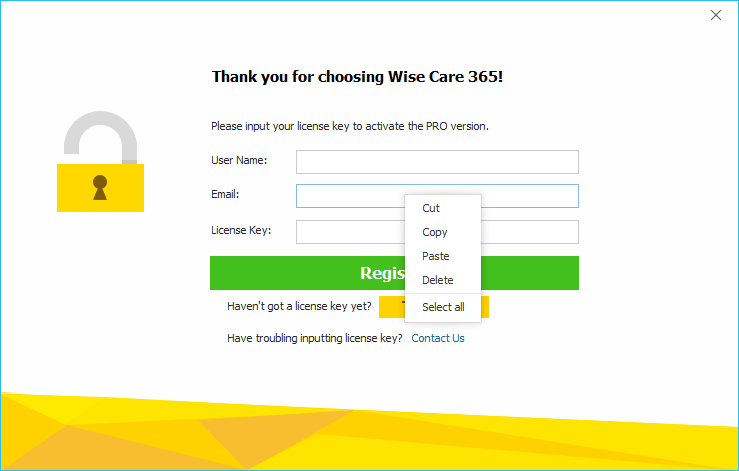
3. Enter the license key
When entering the license key, it is recommended to COPY and PASTE, and confirm that there is no blank space before and after the license key.
4. FAQs
Q: Invalid license key
A: The entered license key is incorrect (for example, the digit '0' and the letter 'o' were confused, or spaces were included). Please close the main window of Wise Care 365, restart the program, open the registration window, and then copy and paste the license key, ensuring there are no spaces before or after it.
Q: Can’t find your registration information
A: The email address entered is incorrect or used another product license key.